
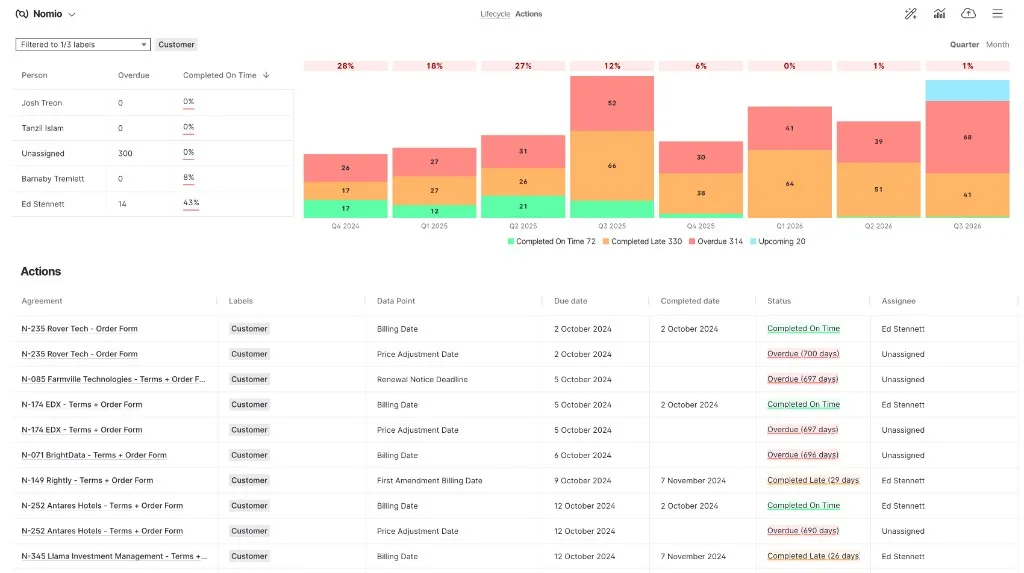
A new report for anyone managing obligations across projects. The Actions Report turns the Action Timeline into charts: a grid showing the percentage of actions completed on time, and a chart of completions on time and late alongside overdue and open actions, broken down over time. Filter by label to look at a single project or contract type. The report can be enabled per organisation. Contact us to switch it on.
Changelog
What’s new with Nomio
The bigger releases, not everything we ship. Nomio deploys improvements several times a week; these are the ones worth stopping to read about.
Agreement Lifecycle Report
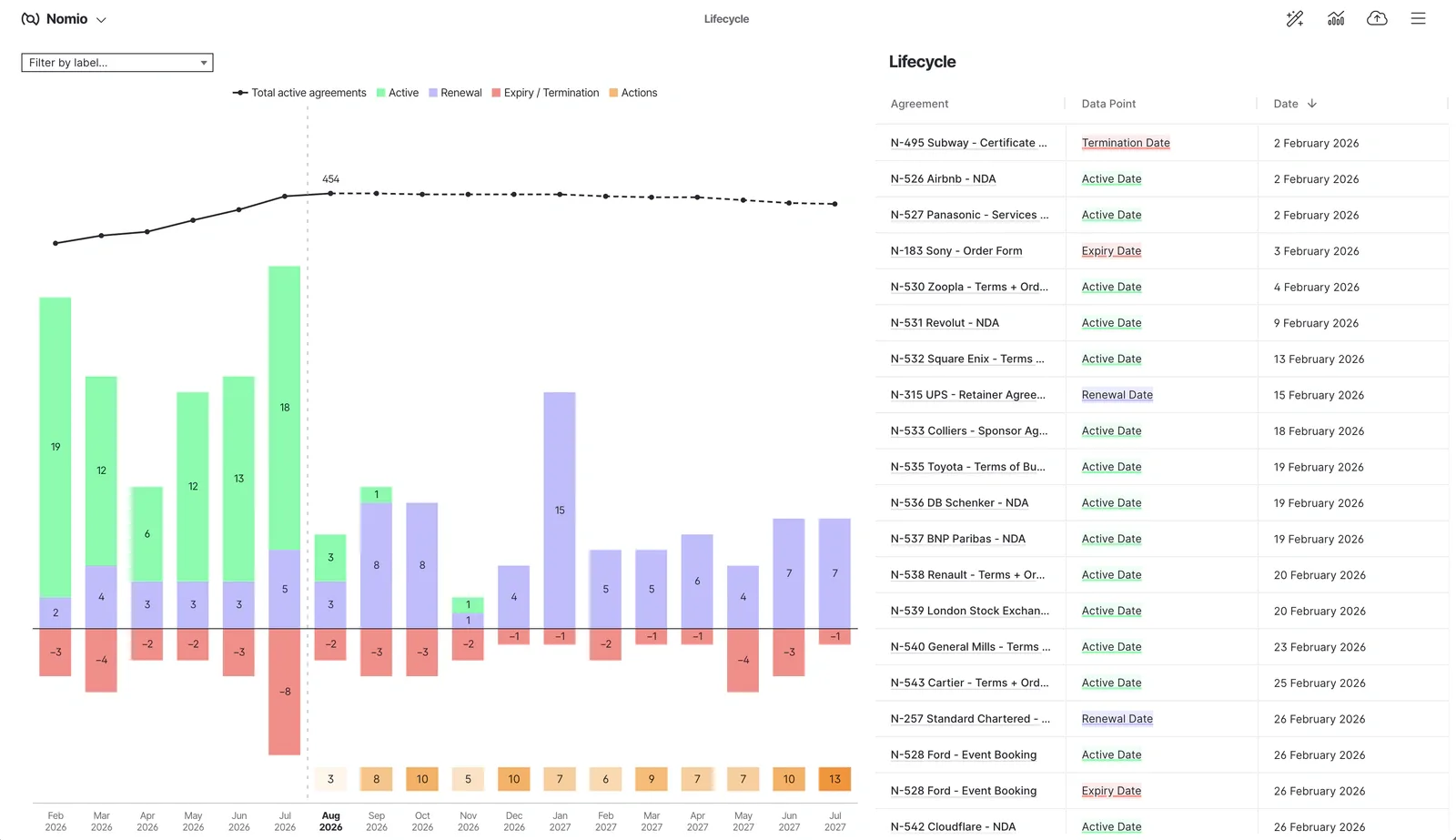
The Dashboards page has been rebuilt around time. One chart shows, month by month or quarter by quarter, how many agreements went live, renewed, and expired or were terminated, with a line for the total number of active agreements. Beside it, a table lists the individual dates behind the chart: active dates, renewal dates, renewal notice deadlines, expiries, and terminations. Filter by label to focus on one part of your portfolio.
Nomio MCP server
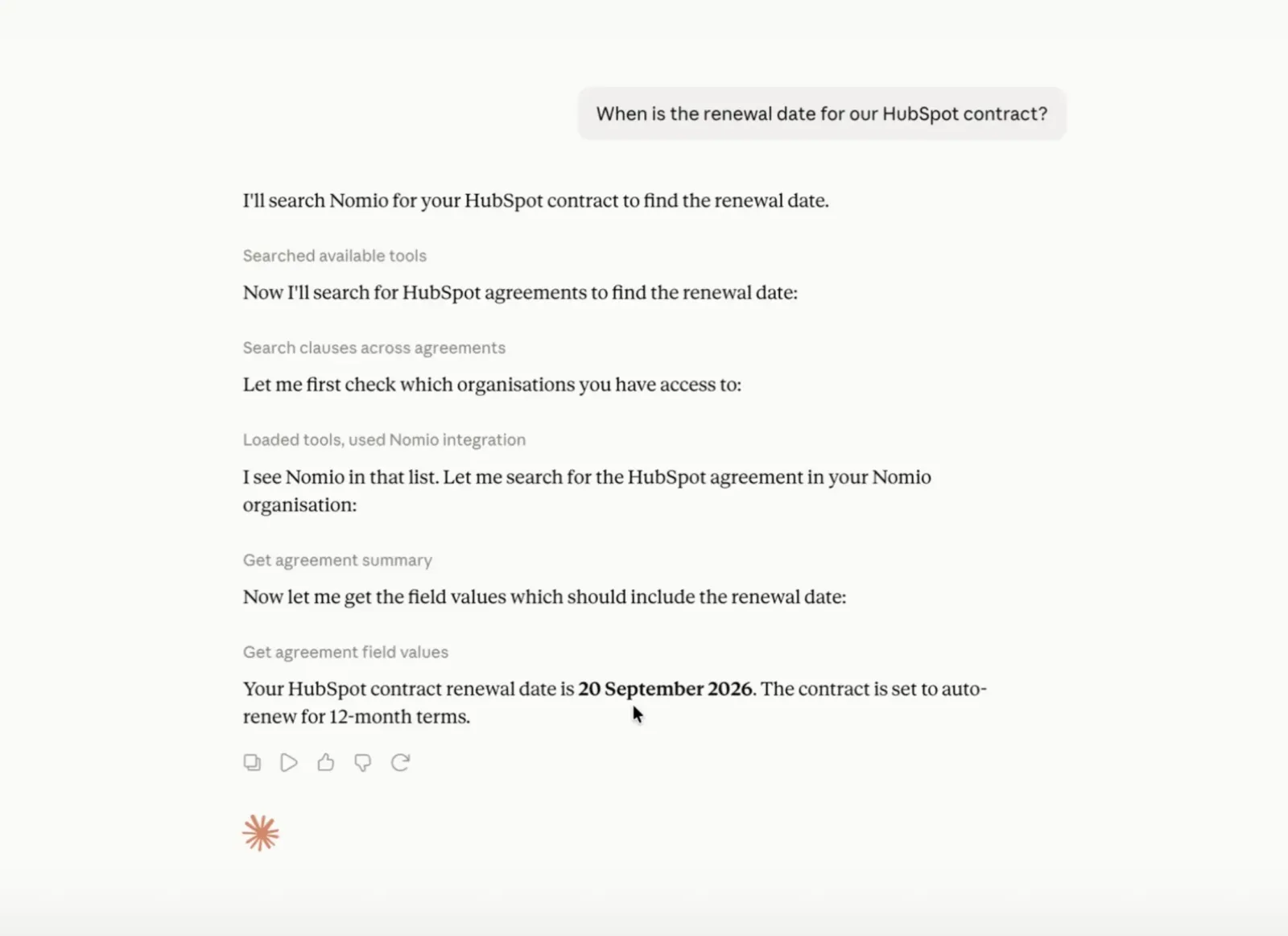
You can now connect your own AI assistant to Nomio. The Nomio MCP server lets Claude, ChatGPT, and other MCP clients list your agreements, search clauses across them, and read extracted data point values, then use that data to answer your questions. Your assistant sees only the agreements you are allowed to see, within one organisation at a time. The MCP server is switched on per organisation. Contact us to enable it.
Nomio Agent
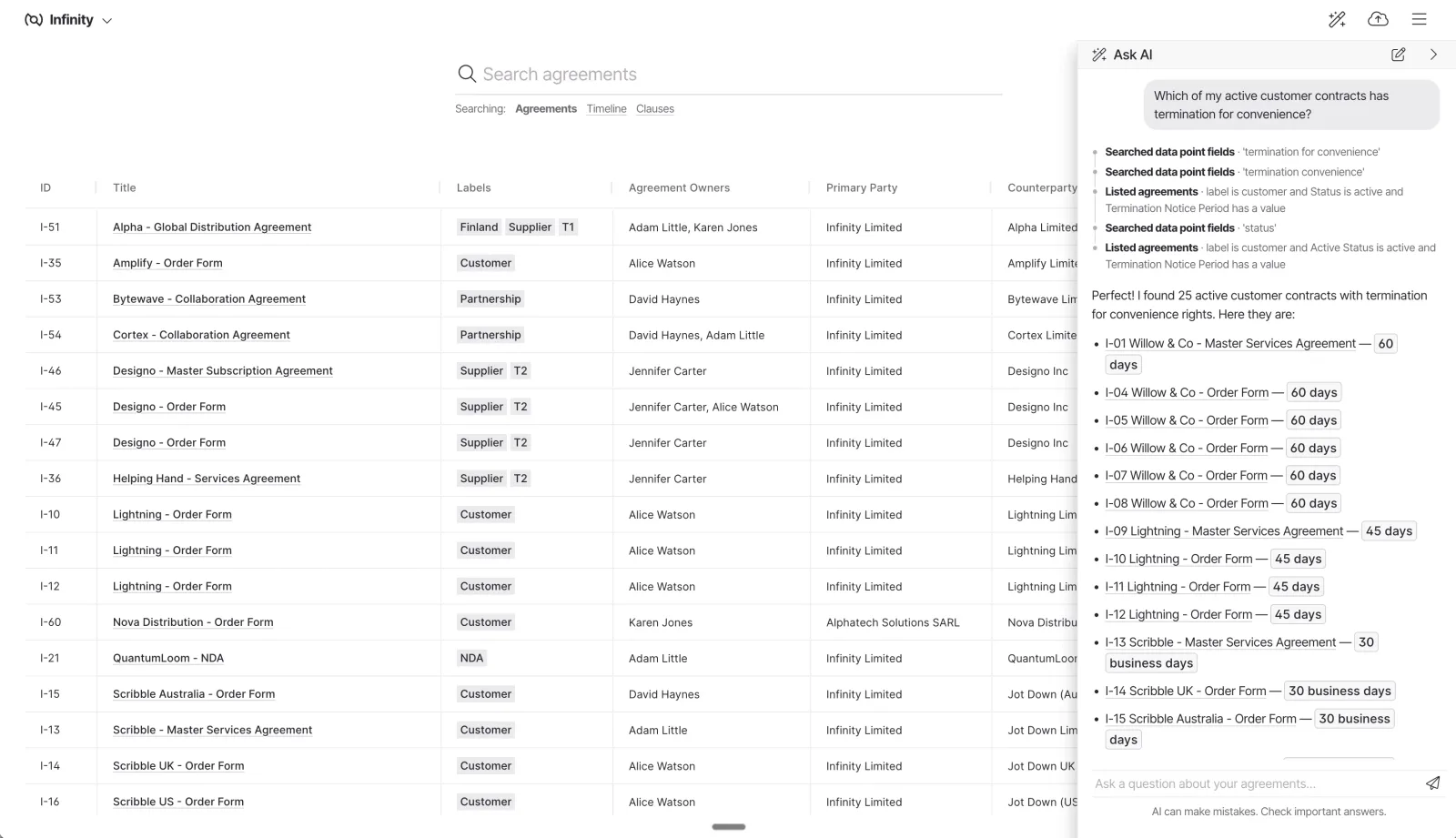
Ask questions about your contracts in plain English and get answers drawn from the agreements themselves. The Nomio Agent can search clauses across your whole portfolio or within the agreement you have open, read the extracted data points, and point you to the clauses it used. On the Agreement Grid it knows which agreements you have filtered or selected, so you can ask about just those. The agent can now be switched on for your organisation. Contact us to enable it.
Issues replace Ambiguities and Warnings
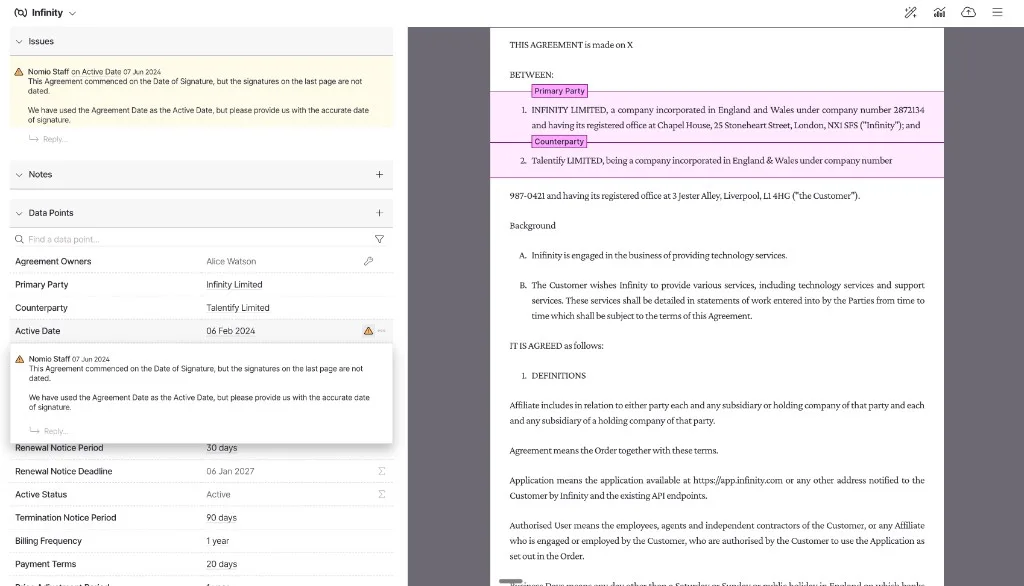
Ambiguities and document warnings are now one thing: Issues. The Issues Grid replaces the Ambiguities Grid and shows every open question about your agreements alongside document problems such as partially signed documents or files uploaded in the wrong format. Old links to the Ambiguities Grid now take you to the Issues Grid, and the ambiguities email has been retired in favour of the Issues email.
Annotations shown at clause level
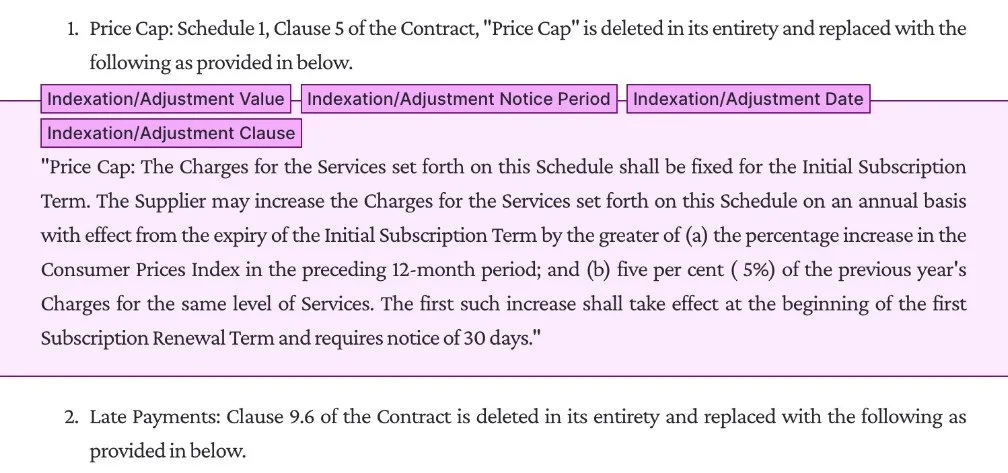
In Smart view, annotated values are now shown at the top of the clause they belong to, rather than as highlighted spans inside the text. Documents are easier to read, and it is clear which clause each data point comes from. Values that match a clause are also shown against that clause in the sidebar. Annotating by highlighting text or clicking a suggestion works exactly as before.
PDF view by default
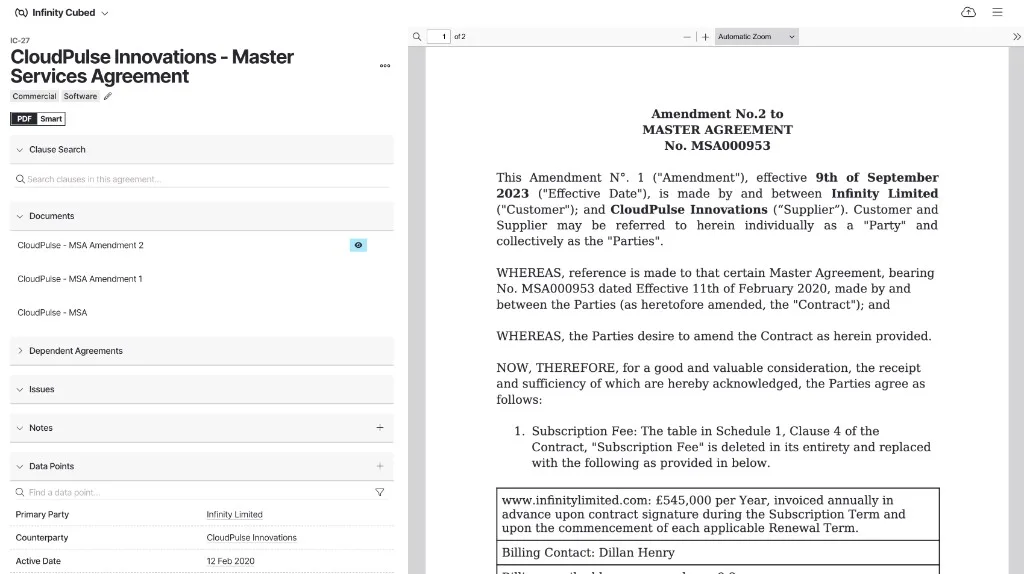
The Agreement Viewer now opens documents in PDF view. Most users told us they prefer reading the original document, so that is what you see first. The PDF button now sits on the left and Smart view on the right, and you can switch between the two at any time.
Action Timeline Summary
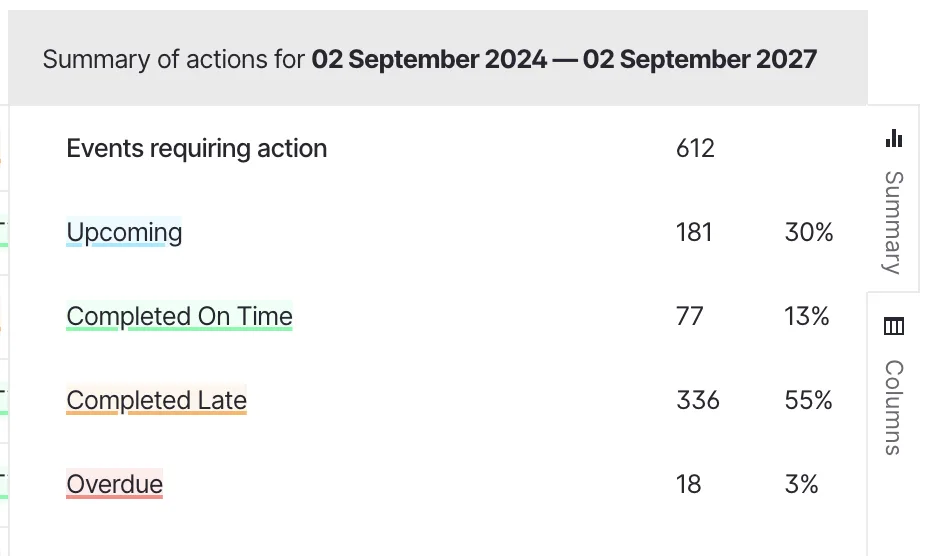
A new Summary tab in the Action Timeline rolls up every action in the period you are viewing and groups it by status, so you can see how many are complete, completed late, or overdue without exporting to Excel. It is built for the managers who oversee obligations across one or many projects. Change the date range and the summary updates with it. Filters applied to the grid do not affect the summary, so the totals always reflect the whole period.
Agreement Owners
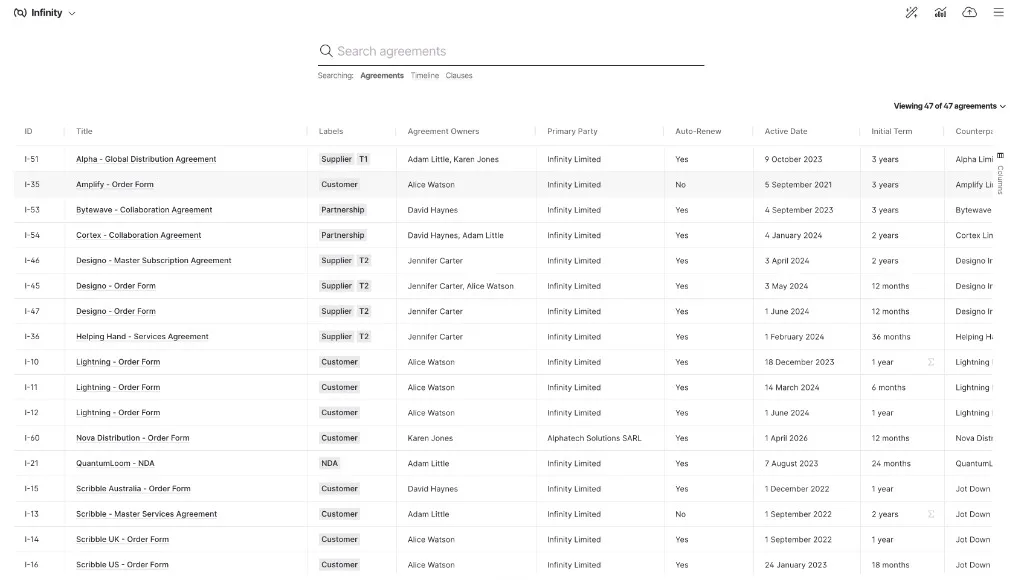
Administrators can now set one or more owners on any agreement, straight from the Agreement View. Agreement Owners appears at the top of the data points table. Pick the owners from a dropdown of the people in your organisation, and change them whenever responsibility moves. It behaves like any other manually added data point, so it is always visible alongside the agreement’s key terms.
DocuSign integration
Nomio now connects to DocuSign. When an envelope is completed in DocuSign, the signed documents are pulled into Nomio automatically, so executed contracts arrive without anyone having to upload them. The integration uses DocuSign Connect, which sends us the signed PDF as soon as signing finishes, and it works with any DocuSign API plan. Contact us to switch it on for your account.
Automatic document translation
Nomio can now translate a document into English for you. The original document remains the legally binding text; the translation is there so your team can work with contracts they could not otherwise read.
Ambiguities Grid
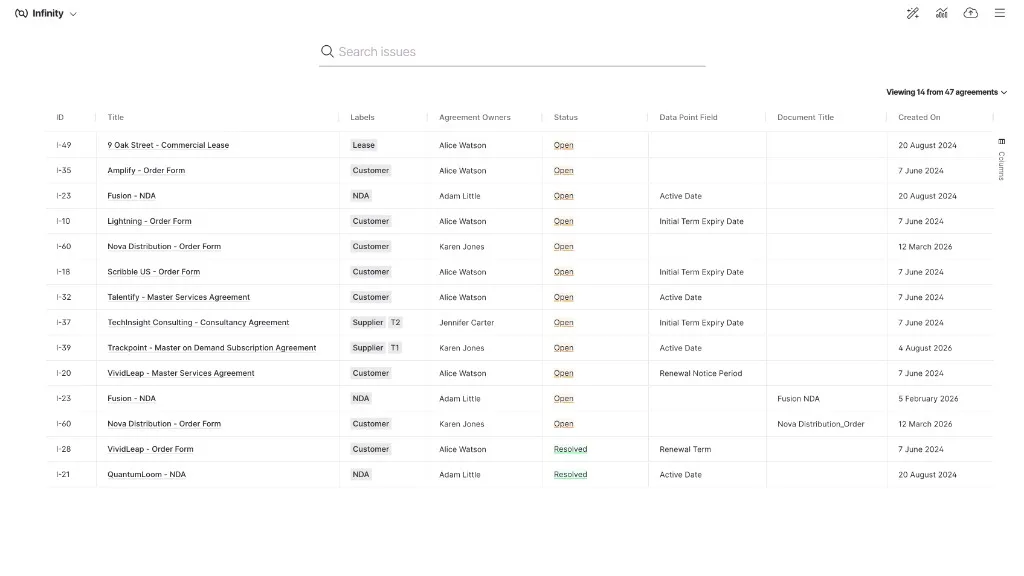
A new Ambiguities Grid gives you one view of every open question across your agreements. Open it from the main menu. Each row shows the agreement, the data point, the question we need answered, when it was raised, and whether it is Open or Resolved. Sort and filter as you would in any Nomio grid, search across it, and export to CSV. Open items are listed first with the oldest at the top, so the questions that have waited longest are the easiest to find.
Action Timeline
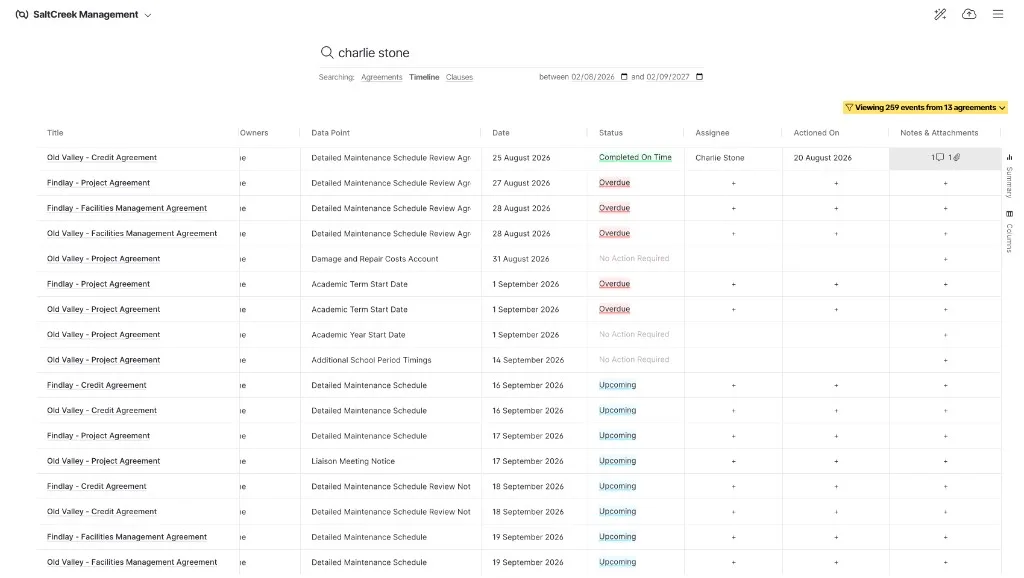
The action calendar is now part of the timeline grid, so every important date and the action it requires sit in one view. Where a data point is marked as requiring action, the grid shows Action Required, Status, Actioned On, and Actioned By columns next to the date. The grid keeps the timeline’s twelve month view, the Data Point column now shows the full name of each data point, and Risk Status has been renamed Status.
Linked agreements
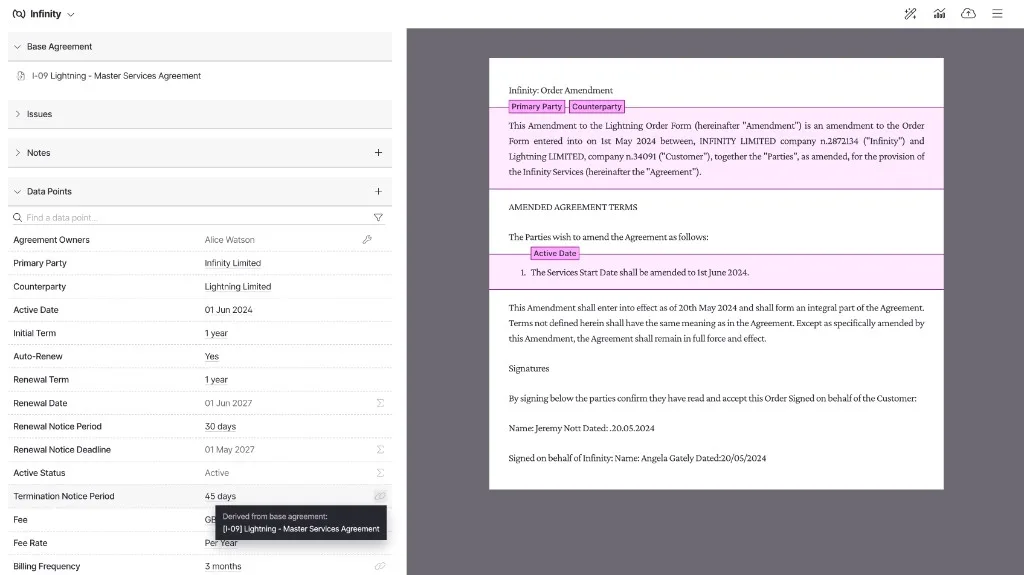
You can now link an agreement to its master terms. Orders, statements of work, and amendments that sit under a master agreement no longer need the master terms copied into each one. Link them instead, and the master agreement’s documents and data points flow through to the linked agreement, with the linked agreement’s own terms taking precedence where they differ. Values that come from the master agreement are marked as derived, and clicking one opens the master agreement in a new tab. Nomio’s team sets up the links for you.