
Most in-house legal teams end up with two or three contract tools, not one end-to-end platform, chosen by the job they need doing. There is no single best option, and a fair number of teams get further than they expect with software they already own.
Key findings
- Most teams end up with two or three tools, not one platform.
- Only four of the thirteen tools reviewed below publish a price in pounds.
- For most platforms, implementation takes at least three to four months.
- Vendors are cutting prices by up to 70% to win deals. One buyer was quoted £50,000, then £15,000 once a rival came in cheaper, and told us they could no longer “trust any price” that vendor gave them.
- The tools in-house teams recommend most have the least review data, because the review tools (like G2 and Capterra) trail this market by a year or two.
How these tools were chosen
Over the past few months, I’ve interviewed more than 100 in-house lawyers and legal operations people across a series of in-depth in-house reports. I’ve spoken to a lot more at events and in the industry groups where people tend to compare notes.
The advantage of being a marketer is that I’m not selling. The vast majority of people I spoke to were not Nomio customers, so this isn’t a list built from our own client base. And as a marketer, I’m terrible at selling, so there was no chance of them becoming a customer after speaking to me!
This is a list of the tools the in-house community keep bringing up and say positive things about. It isn’t the whole market, and it isn’t ranked. It’s organised by the job you need done to reflect how buying actually happens.
Nomio, where I work, is the contract data layer for hundreds of in-house legal teams. We organise every contract, extract and verify the terms that matter, and keep them up to date in a contract repository, which is why we’re in that section.
A note on the omissions
There are some big names in the space missing. Where this is the case, the tool was likely mentioned unfavourably. I heard many stories of failed implementations and miselling. In our own report, Now what?, 17 of the 28 people we interviewed described a rollout they had seen stall or fail, in their own team or in teams they work with. Most saw it happen inside their own organisation.
17 of 28 interviewees described a rollout that stalled or failed
A larger survey puts the figure higher. Of 350 in-house lawyers surveyed in the US and UK in 2022, 77% said they had experienced a failed technology implementation. 43% said they had been through more than one.
77% have been through a failed legal tech rollout
Can you trust G2 and Capterra reviews for legal software?
The short answer: no.
They are pay-to-play. Everyone on there is between 4 and 5 stars, which means the majority of all reviews are 5-star. How could that possibly be accurate?
We’re not on review sites. We instead focus on video case studies.
And yet, most buyer’s guides are built from G2 and Capterra data. Reviews are typically given in exchange for a voucher paid for by the vendor. This makes it hard actually to derive anything meaningful from the reviews. Once you get past the 5-star pile, some of the unpaid reviews are still useful. I’ve used some below.
G2, Capterra, et al. also trail the legal tech market badly.
The newer AI tools that in-house teams talk about most tend to have few reviews. Harvey has 35 reviews on G2. Legora has 17. Wordsmith, the single most recommended tool in my interviews, has one.
So a guide assembled from review platforms will hand you a shortlist that was accurate a few years ago.
This one is assembled from actual conversations.
What in-house teams recommend
| The job | Tools people use |
|---|---|
| Contract repository | Nomio, ContractSafe, Gatekeeper |
| Everyday tasks and questions | Claude, Microsoft 365 Copilot, Gemini, ChatGPT, Glean, Atlassian Rovo |
| Contract review | Wordsmith, Harvey, Legora, Spellbook |
| Drafting and templates | Juro, Wordsmith, Legora, SpotDraft |
| Intake | Wordsmith, Jira, Notion, HighQ, Asana, Juro, Ironclad |
| Signing | Docusign, Adobe Acrobat Sign, PandaDoc |
| Research | LexisNexis, Thomson Reuters (Practical Law), CoCounsel, Wordsmith, Harvey, Legora |
Contract repository
As part of a survey of 85 in-house lawyers, we found that while 93% of in-house teams are using AI tools for their legal work, only 24% could actually find all their signed agreements in one place. Perhaps the biggest theme of the 100+ interviews and 350+ people I’ve surveyed is overwhelm. In-house teams are running before they can walk, purchasing fancy (and expensive) legal AI tools before they’ve nailed the basics (like knowing where your contracts are and what’s in them). With that in mind, we’re going to start with contract repositories.
Contract repositories can be a confusing category. Some are standalone repositories. Others are built into something bigger, like the CLM platforms above or a general document management system. They all store contracts, but they differ a great deal in how much they know about them.
The real difference here is how much of the work the provider does for you. Getting a repository running can be a big job, and keeping it current as new contracts arrive is an ongoing task. Some providers hand you the software and leave that with you. Some do it for you and charge accordingly.
Doing it yourself looks easy. One lawyer I interviewed built a script in Claude to pull the data out of his contracts, and it “worked very effectively for the first 10 or 15 contracts and then fell over after that”. We’ve written more about what it really takes to build your own contract database and why you shouldn’t rely on AI alone.
Nomio
“I just gave Nomio access to our supplier folder within SharePoint, and they then did everything for me in terms of uploading it into the system, pulling out the information.”
Nomio is a fully managed service. You don’t run the software yourself. We find the contracts, group the documents into agreements and capture the data, then check it. We keep all of that current as new contracts and amendments arrive. Set-up takes around two weeks.
Our customers talk about accuracy and about not having to maintain anything. As Ryan Robinson, Legal Director at Nexus Rental, says, “It took me no longer than an hour to onboard with Nomio, and the accuracy has been 100%.” On keeping it going, James Russell-Jones, General Counsel at Bark, says, “When we sign a contract, we upload it to Nomio, and that’s it, nothing else to do.”
ContractSafe
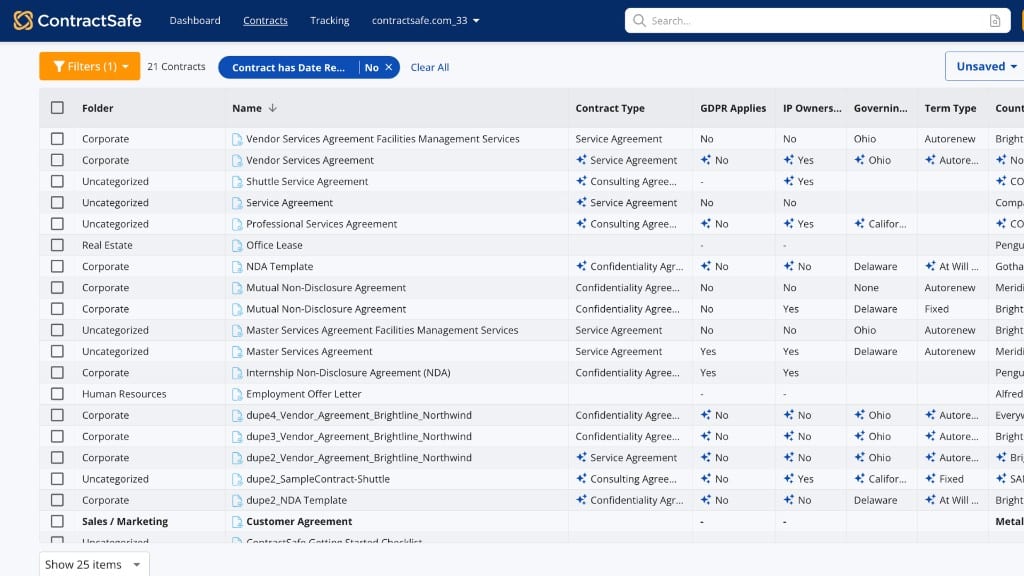
“I like their AI features. It’s intuitive to use.”
If you want to know what something costs before you book a call, this is the one. ContractSafe publishes a full price list by contract volume, with unlimited users on every tier.
Gatekeeper
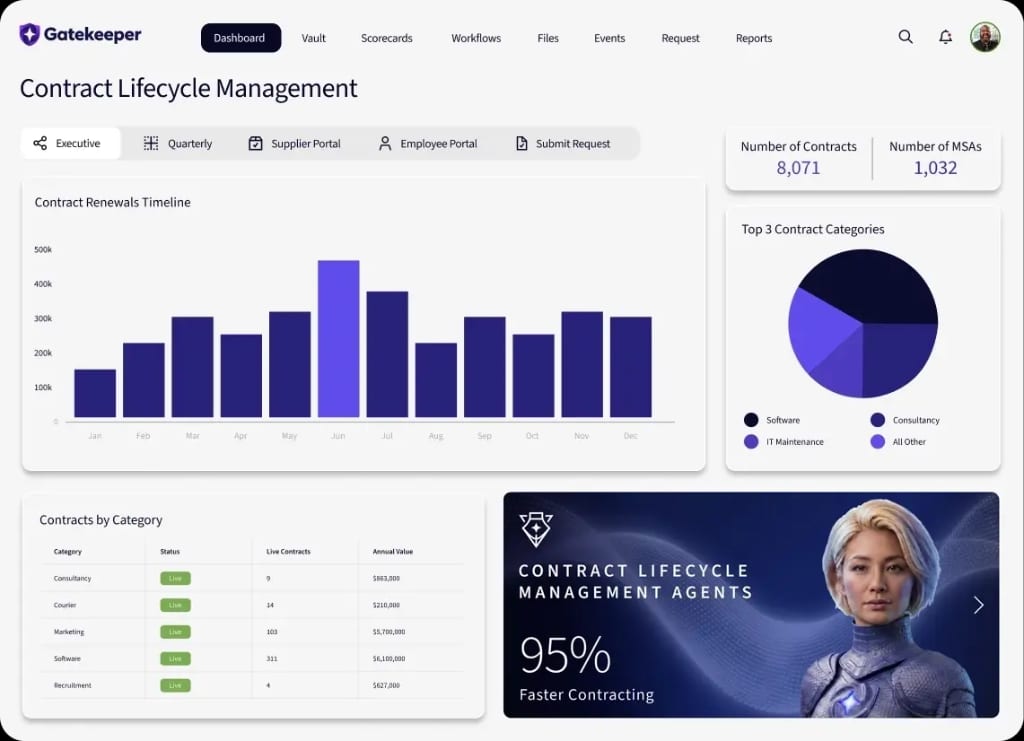
“Everyone’s got total visibility of which version is live.”
This suits teams where procurement and legal are really dealing with the same problem from two directions. Gatekeeper covers supplier onboarding, vendor risk, supplier performance and the contracts themselves. It’s headquartered in the UK, and G2 reviewers put set-up at around four months, in line with Ironclad.
General AI tools
Before you buy anything, see how far the tools you already own will get you. Several of the teams I interviewed are running most of their legal work this way, and not all of them are doing it because they’re short of money.
Microsoft 365 Copilot
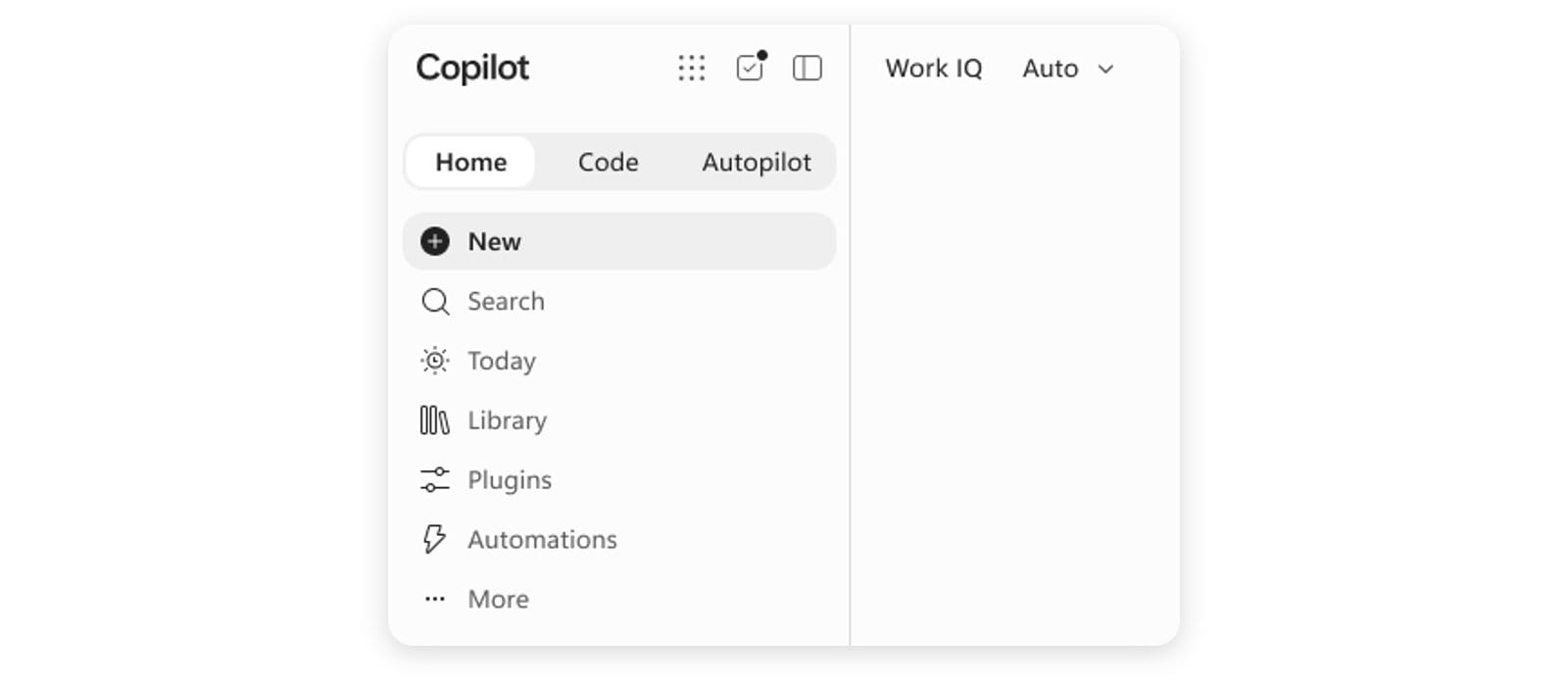
“I’m not saying that I would keep everything that Copilot would produce for me in that situation, but it’s not bad.”
The tool that most companies are already paying for.
What people like about it is that everyone in the business already has it, so there’s nothing to buy and nobody needs persuading to try it. In my interviews, it’s often the entry point, which helps when you’re trying to get a sceptical team to start somewhere.
Lawyers describe using it as a junior resource, not a legal product. One in-house lawyer told me she uses Copilot “a bit like a paralegal”. At one large retailer, lawyers are building their own light agents in Copilot.
Two caveats. Several people drew a clear line between the incremental gains you get from a general tool and the different things a legal-specific product does, and that matches what I see. And a restrictive IT department can leave you with a cut-down version that does very little, so if your Copilot seems useless, check which licence you’ve actually been given before you conclude the technology doesn’t work.
Claude
“We tend to just default to Claude if we’re building something.”
Claude came up a lot in my interviews. Lawyers use it to answer questions, but a number of them also build their own tools with it. Some have skipped buying a legal product as a result.
The clearest example was a solo in-house counsel at a software company who pitted his existing solution against agents he’d built in Claude. When he compared them side by side he “didn’t notice any positive difference”. His NDA playbook “took me about half a day to make”, and he says that now “it’s basically flawless”. He thinks that if you can make your own agents, “it’s still cheaper and more effective than a dedicated tool”.
He isn’t the only one. Another in-house lawyer put it in terms of cost. “If I’m paying 100k for a software that I can build in a month, I’ll do it.”
Building your own tools takes more than a licence, though. At one large tech company, two engineers from the business have joined the legal team for a couple of months to help it build. One of the lawyers there told me the hard part is getting everything to work together. “It’s the connectors to me that are the real killer.”
There are limits. One lawyer told me Claude “is great but it’s not a legally trained tool”, and she uses a legal-specific product for legal work.
Gemini, ChatGPT and the rest
“Gemini is pretty good for a lot of what we ask it.”
If you have no budget, or can’t yet justify a specialist tool, start here. It goes a long way.
Take, for example, the only lawyer at a thirteen-person startup whose request for a LexisNexis subscription was “way beyond what was budgeted for”, and who now does much of her legal work through the company-wide Gemini subscription, building what she calls agentic experts for particular tasks.
Teams with a specialist tool use these too. One lawyer whose team has just bought Wordsmith still puts customer redlines through Gemini to sort them by priority. A 25-page exercise now takes her three prompts and about 30 minutes. Buying a legal-specific product doesn’t mean people stop using the general ones, so expect to end up running both.
Contract review tools
This is the most crowded category and the hardest to choose in, partly because the products have converged. One VP of Legal Ops told me she evaluated four platforms and concluded that “none of them were wildly different from a tech perspective”. When the technology is comparable, recommendations turn on who is easiest to deal with, and that’s what my interviews reflect.
Wordsmith
“Wordsmith is probably the best value for money product out there”
Across the interviews and the in-house breakfasts I run, this is the tool that comes up most, by a long way. People recommend it for its hands-on customer support and clear in-house focus.
People describe someone from Wordsmith getting on a call to suggest a different approach when something wasn’t working, and coming in to run a session with the legal team. Wordsmith also runs a legal engineering community where in-house teams compare notes on how they’re using it.
If you’re a small team without legal operations support, that hand-holding is probably the thing to weigh most heavily.
Harvey
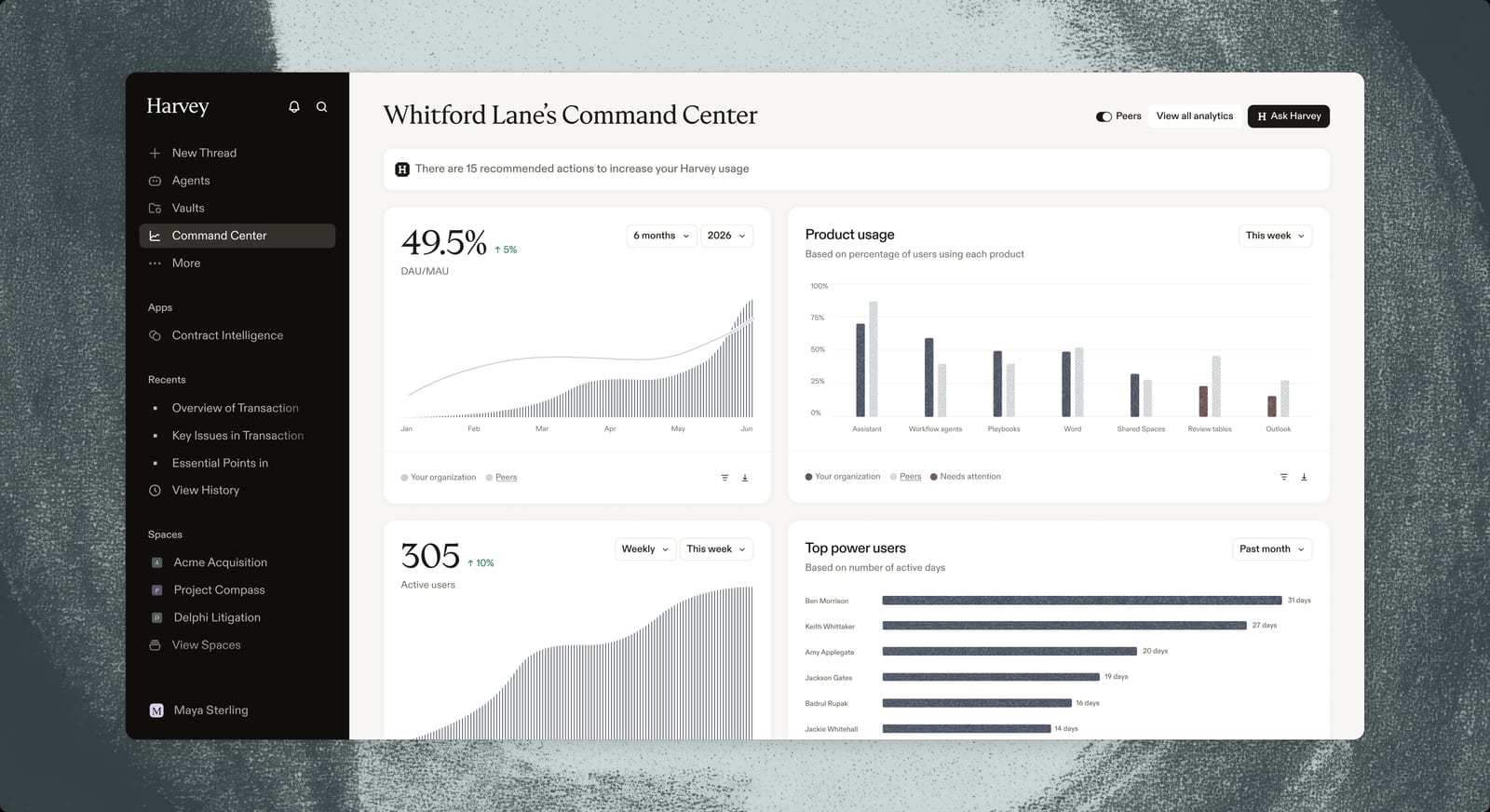
“Harvey is good as a validation tool.”
Strong on legal research as well as contract review, and used across a wider range of work than most tools in this guide. One in-house lawyer described using it for anything from “contract review to drafting” to “researching certain areas of law”.
It’s more established in law firms than in-house, and several of the in-house teams who evaluated it chose something else.
Legora
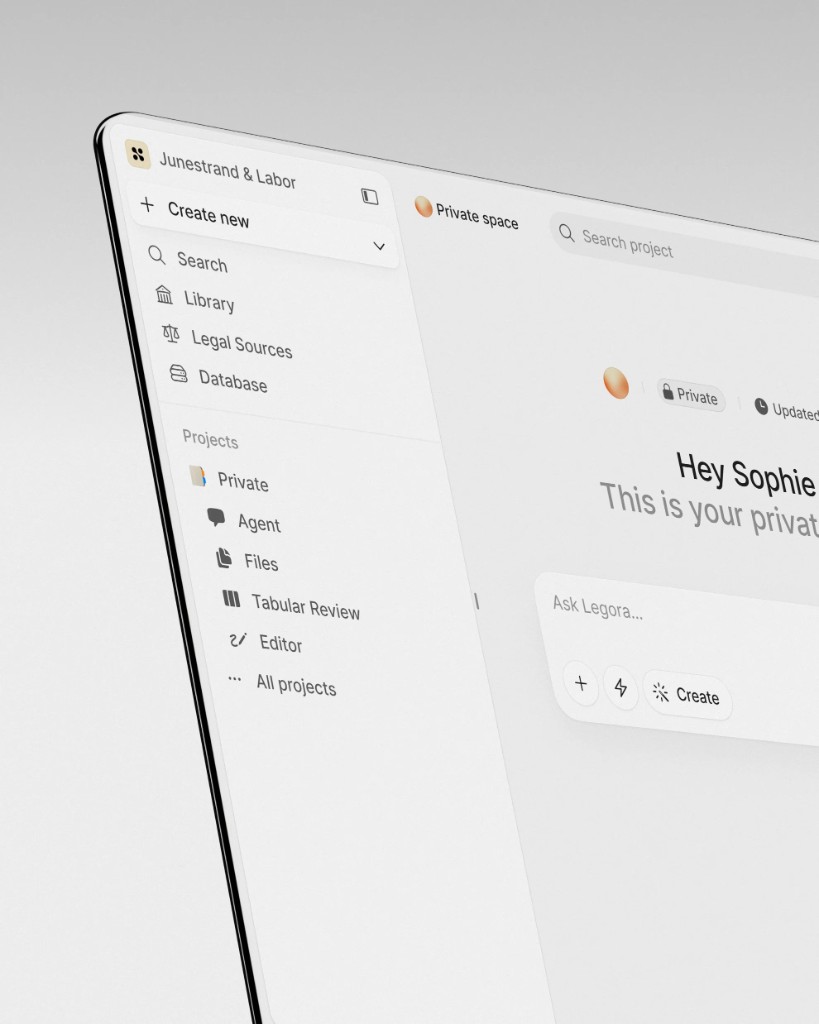
“I might search Legora more than Google as a first instance.”
Comes up often in conversation but is used by fewer of the people I’ve interviewed. The explanation may be timing. Legora built its business on law firms. It says in-house teams barely featured in its sales pipeline two years ago, and made up more than 40% of its new business in the first part of the third quarter of 2026.
Those who do have it say they reach for it as a research tool first. The parts most relevant to an in-house team are Tabular Review, which analyses large sets of documents at once, and a Word add-in that reviews against your own playbooks.
Tools for drafting contracts
Drafting tools fall into two separate markets. One is template self-service, where the point is letting sales or HR generate routine agreements without involving legal. The other is AI drafting assistance for lawyers. Template tools compete on how little training the business needs, and drafting assistants on the quality of the first draft. Work out which of those you need before you sit through any demos.
Juro
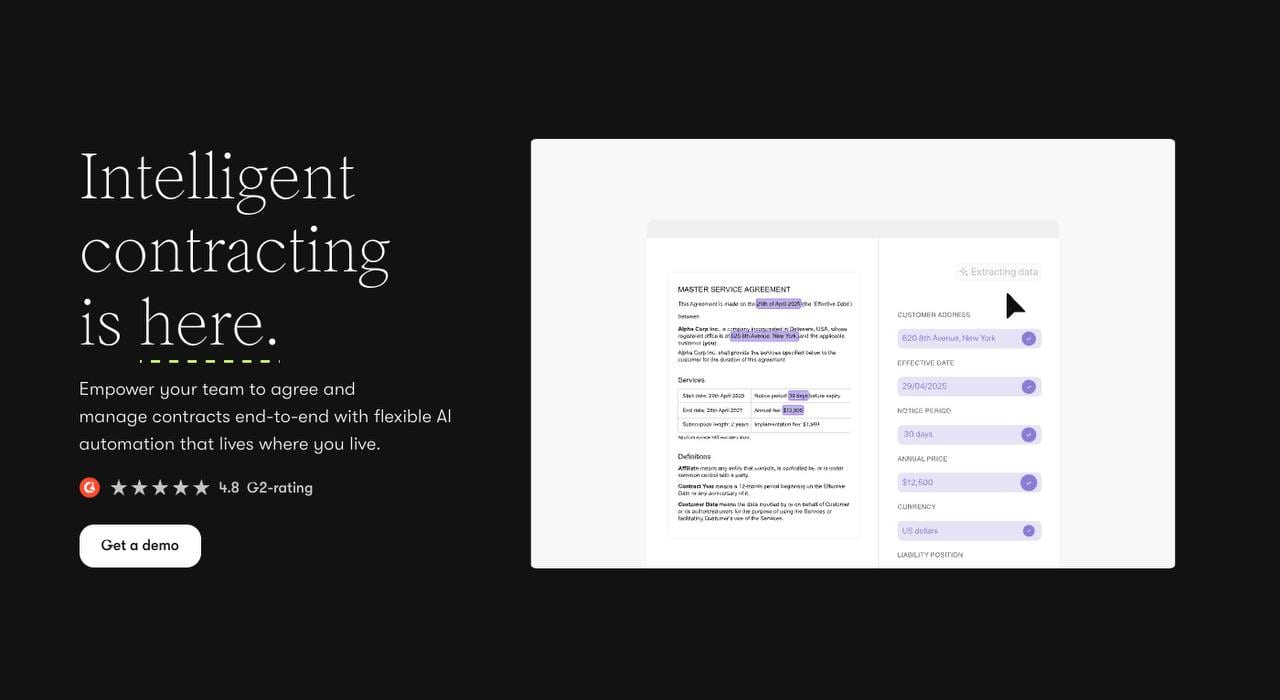
“It was very easy to use. I love their user interface.”
Built for the situation where sales or HR need to generate contracts themselves and legal needs to keep some control over what goes out. Teams use it to put the routine agreements behind a template the business can fill in. Requests can start in Teams or your CRM, and approvals can route on the contract’s own values, so a UK agreement over a certain size goes to a different person automatically.
It’s well established, and if self-service drafting is your main problem, it belongs on your shortlist.
Wordsmith (drafting)
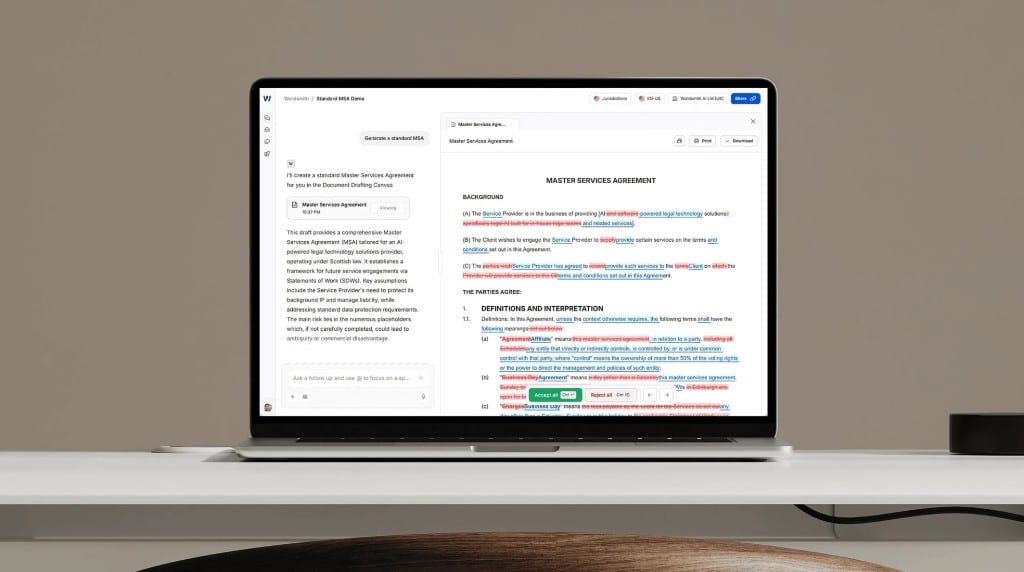
“Wordsmith is being used more for drafting for low volume, high value.”
Most teams who have Wordsmith use it for drafting as well as review, which is part of why they only bought one tool. One lawyer whose work is largely bespoke drafting uses it to challenge her own drafts, pointing out gaps and suggesting the most conservative version of a clause as a starting point to work back from. Drafting runs off playbooks your team sets up, and there’s a Word integration if you’d rather stay in the document.
Legora (drafting)
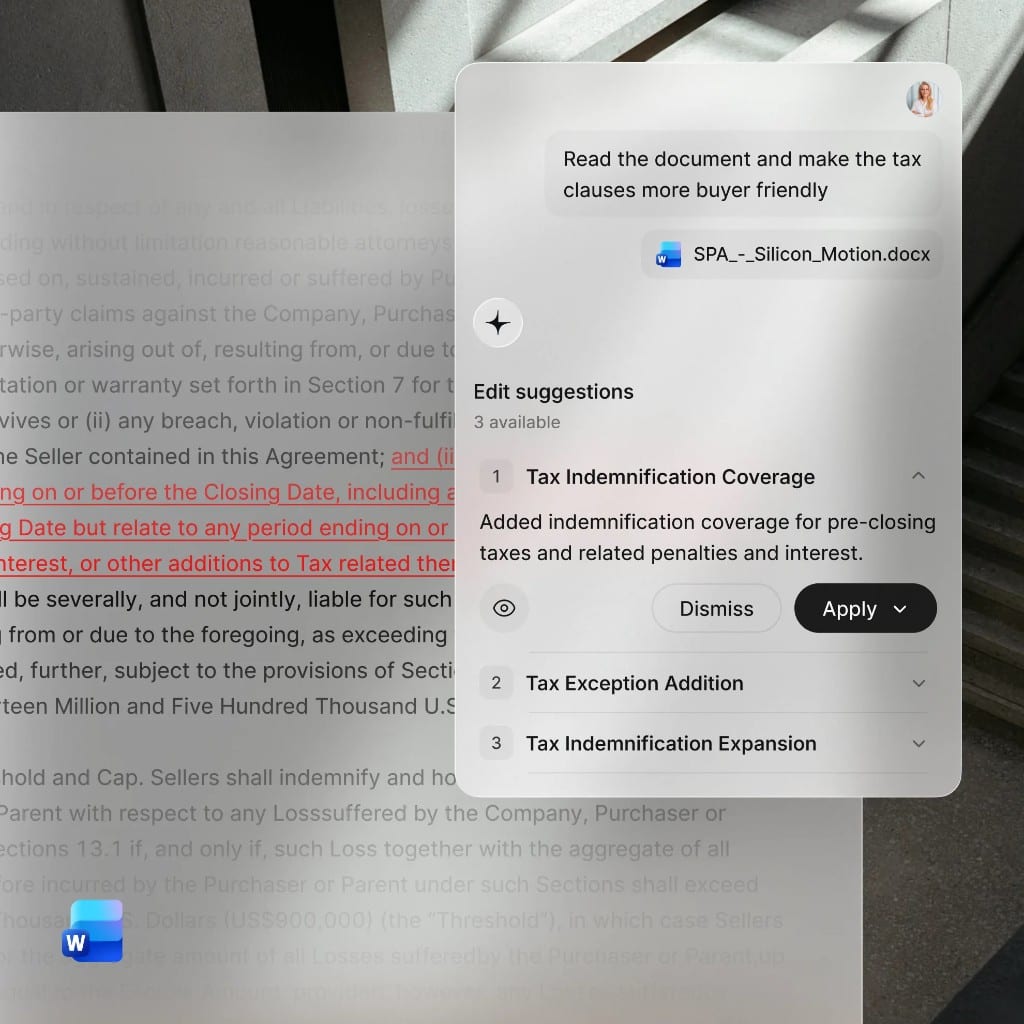
“I love Legora. I think it’s unbelievable.”
Legora is for lawyers who draft. It isn’t built for the business to generate its own agreements. Its drafting runs through a Word add-in, so lawyers keep working where they already work, with redlining and playbook checks happening in the same document.
Tools for intake and legal requests
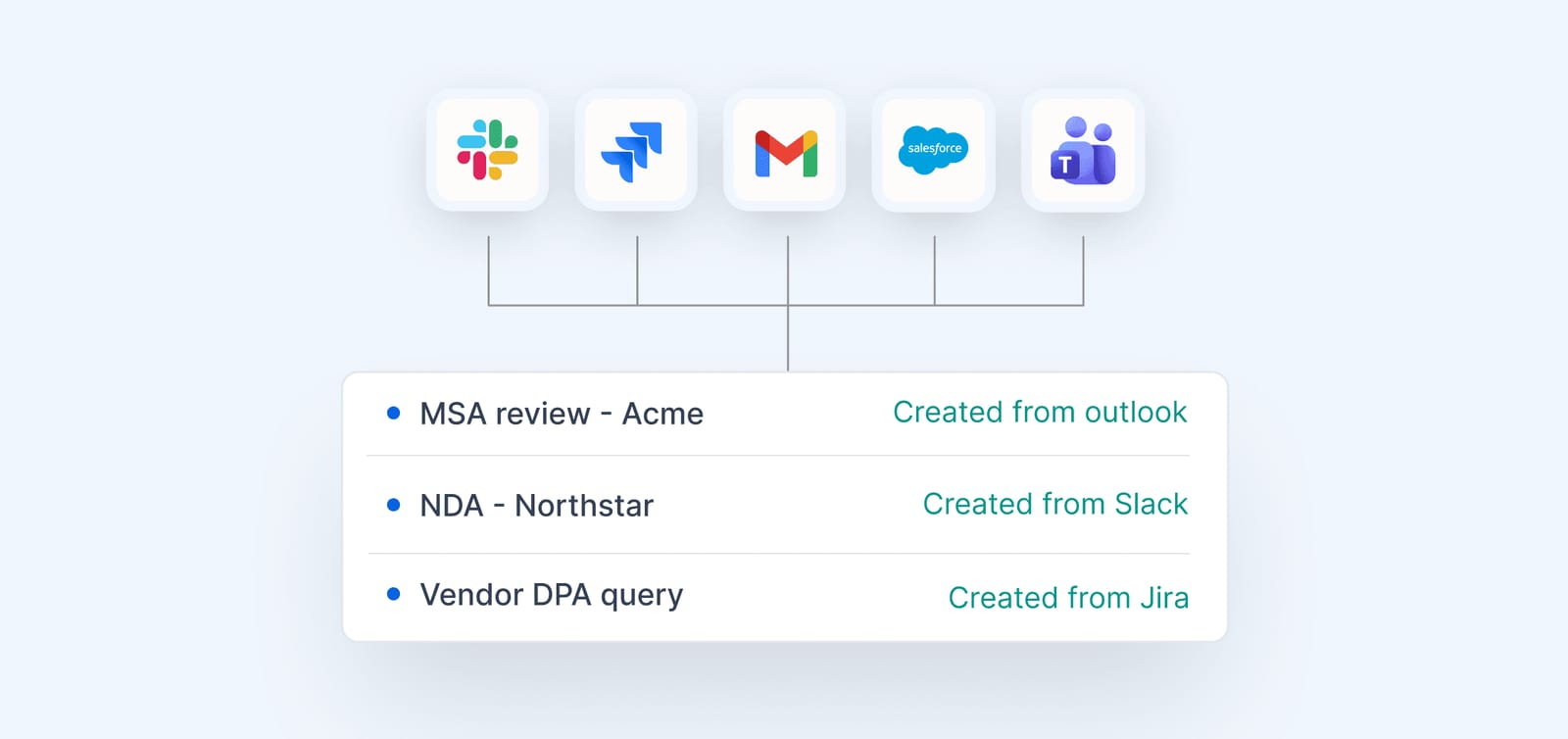
This is the category teams most often fix without buying anything. They set up a single route for legal requests, usually a form, and then stop answering requests that arrive by direct message instead. Several teams I interviewed solved most of their workload problem this way, without an AI tool. Most of the platforms in this guide now include intake too. Wordsmith has recently added an intake feature. And, somewhat amusingly, Harvey and Legora recently shared the same launch date for their tools, both named “Intake”.
What vendors compete on tends to be how easily the form connects to everything else you use.
Ironclad

“I know Ironclad very, very well, I have a good relationship with them.”
More common in large companies and in US-headquartered businesses with a UK legal team. It’s the most comprehensive platform here. Requests can come in through Slack or Teams, as they do for one large legal team I spoke to.
If you have the scale and the internal resource to run an implementation properly, it’s a worthwhile trade. If you don’t, you run the risk of fighting with a half-configured tool.
Jira

“I don’t think I would still be sane if we didn’t have that from the get go.”
Jira is the project tracker a lot of software companies already run. One head of legal operations I interviewed has run her matter management and intake in Jira since 2019. If someone asks about an MSA from last week, she can find every update on it and see how long it’s been open. It matters enough to her that she wouldn’t consider an AI vendor that didn’t integrate with Jira. It isn’t a legal product, though, so you’ll be building the forms and workflows yourself.
Notion
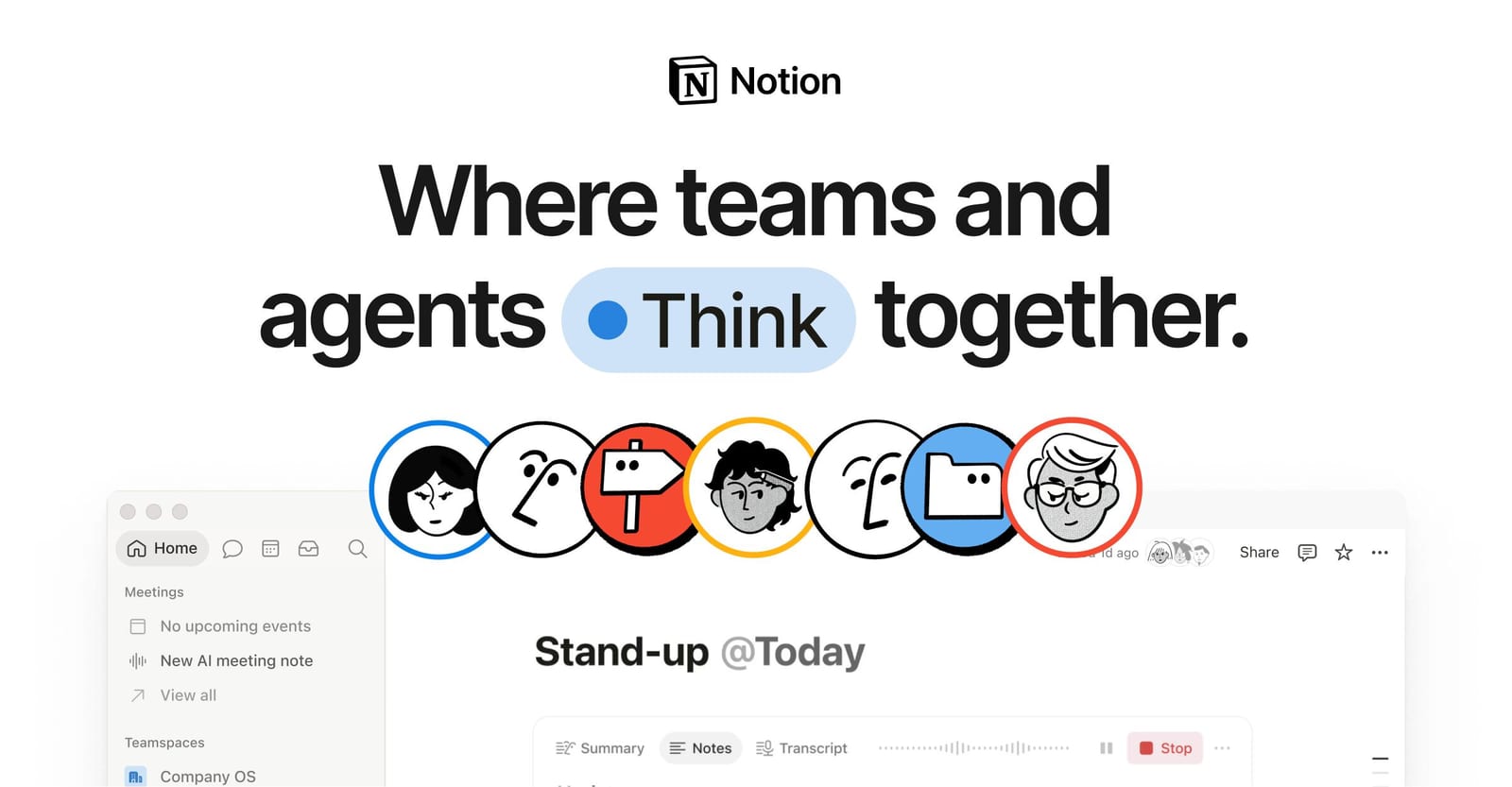
“Everybody else is on Notion and that really works well for us.”
If the rest of the company works in Notion, legal can run intake there too. The only lawyer at a digital signage company has built legal intake forms in Notion, each with its own AI agent. Another team, which calls itself “Notion first”, switched AI vendors when Wordsmith added a Notion integration.
Not everyone is a fan. Another in-house lawyer told me her company is a heavy Notion user but she isn’t. Check what agents cost before you rely on them, because Custom Agents are charged in Notion credits, which get very expensive, very quickly, at $10 per 1,000 monthly credits.
E-signature tools
In my conversations, this is barely a choice. Docusign comes up most. The real question is whether you need a standalone signing tool at all. Some of the teams who kept it alongside a platform did so because the rest of the business was already using it and moving everyone would have cost more than the licence.
Docusign eSignature
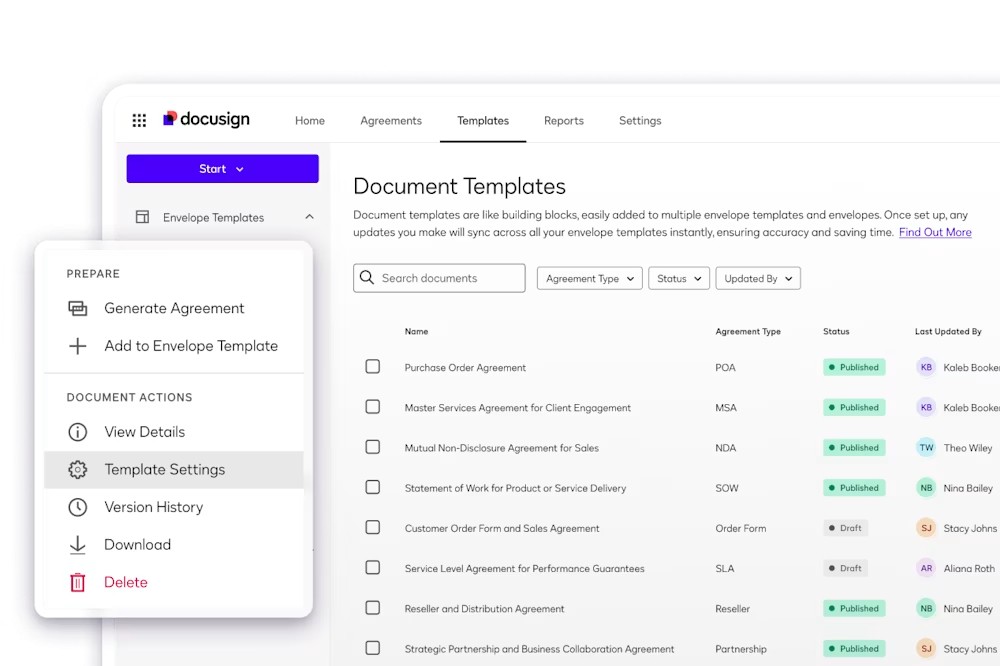
“Docusign was the first really big tech change and that completely transformed everything.”
This is still the default for e-signature, and there’s not really much else to say. The vast majority of people I spoke to used Docusign for e-signature. When a company becomes a verb, that’s usually a pretty good proxy for adopting it.
If you’re buying a platform with signing built in, that may be enough on its own. Adobe Acrobat Sign and PandaDoc also came up in my interviews.
Legal research tools
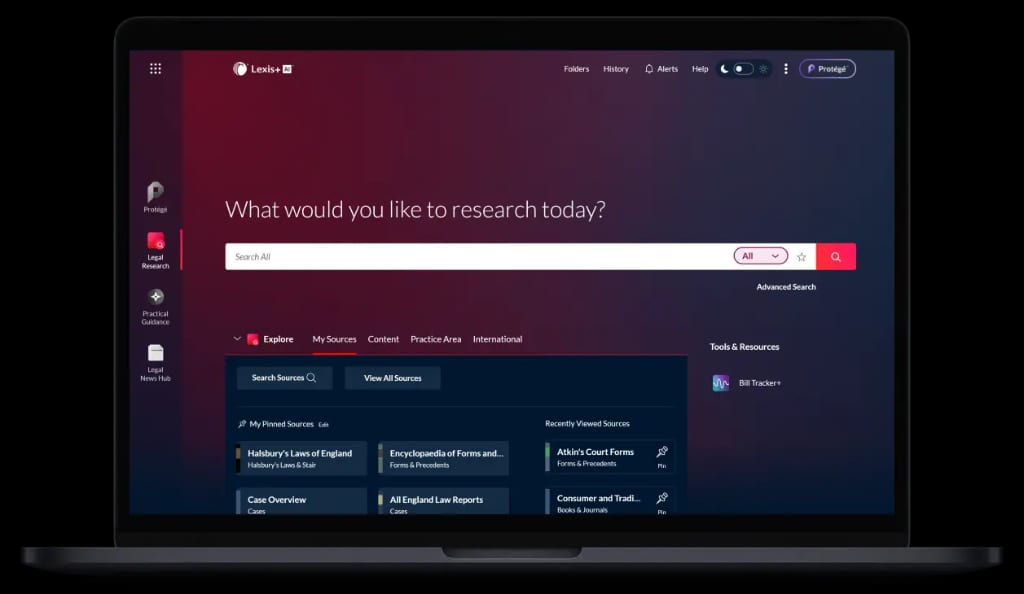
Research is where the old subscriptions are under the most pressure. Practical Law (PLC) and LexisNexis come up in a lot of my interviews, but more often as something people are thinking about cancelling than something they’d recommend.
One in-house lawyer told me she’s “considering getting rid of PLC now because Wordsmith just gives me everything”, and that she’d been on it “probably once a week in the last year”. Others have dropped Practical Law already, or say they’re relying on it less and less.
The incumbents are answering with AI of their own. One head of legal swapped both of his old subscriptions for LexisNexis’s AI product after a beauty parade between Thomson Reuters and LexisNexis. Reactions to CoCounsel, Thomson Reuters’ AI assistant, are mixed. One team’s trial got negative feedback from everyone. The lawyer who told me about it thinks the problem was the prompting, not the tool. Another team found it good for research but missing the redlining and repository it needed, and bought Wordsmith instead.
Not everyone thinks dropping PLC is wise. One lawyer told me “nobody really wants to pay for a PLC licence anymore” and thinks that’s a false economy, and another values it for junior lawyers because of the drafting notes. Price is the other barrier. A LexisNexis subscription was out of reach for the startup lawyer I mentioned earlier.
Harvey and Legora both sell research as a core strength, and some people use Claude or Perplexity for it. Check what you’re paying for. One lawyer found that a legal AI product’s research feature was “literally just connected to Perplexity”, at €3,000 a year for a single seat.
What UK buyers should check before signing
Where your data is stored. Ask which region your contracts sit in, and whether that’s a contractual commitment or just how things happen to be set up. UK GDPR permits international transfers, but you need to know which mechanism the vendor is relying on. Security certifications. Ask for the vendor’s ISO 27001 certificate. SOC 2 is the most common among the vendors listed, and is an American standard. A Type II report is an auditor’s opinion on the controls the vendor chose to put in scope. ISO 27001 is an international standard that certifies a vendor’s information security management system, and the certificate says what’s in scope. It’s the one UK buyers should look for. Most of the thirteen tools reviewed here have both. Wordsmith and Juro publish SOC 2 Type II but not ISO 27001, and Wordsmith says its ISO certification is in progress. Nomio has ISO 27001:2022. Be wary when ISO 27001 is only mentioned alongside a vendor’s hosting provider, because that covers the data centre and not the software. Ask whose certificate it is and what’s in scope.
What currency you’ll be billed in. Several tools here publish dollar prices only. That means your costs vary with the exchange rate.
When support is available. US-headquartered vendors often staff US hours. Ask how the vendor caters for your timezone.
What to buy first
Don’t try to solve all of this at once. Pick the job costing you the most time and buy for that one. See how the implementation goes before you commit to anything broader. The teams I’ve interviewed who regret a purchase mostly bought a platform to solve a problem they hadn’t yet described properly. The ones who are happy tended to start smaller than they expected to, and worked out what to buy next once the first tool had bedded in.
Questions people ask
Do I need one platform or several tools?
Most teams end up with more than one. One platform is simpler to buy and simpler to manage, but it usually means accepting that some jobs get done adequately rather than well. Several tools mean a better fit for each job and more integration work. The teams I spoke to who are happiest made the choice on purpose.
How much do I need to budget?
Most of the tools here don’t publish a price in pounds. For most of them you’ll need a quote, which means speaking to a salesperson and booking a demo. Quotes vary with contract volume and with how much implementation support is included. Can I just use Copilot on its own?
For a small team with no budget it’s the sensible first thing to try, and a few lawyers I’ve interviewed run much of their day-to-day work through it. It won’t group documents into agreements or calculate renewal dates, so it isn’t a repository, and people who’ve used both describe the legal-specific tools as doing a different job.
How long does implementation take?
With Nomio, set-up takes as little as two weeks, with minimal work on the client end. Reviews of the other platforms here put it at a minimum of three to four months. Budget for the slower end, and ask the vendor who does the work and whose time it comes out of.